Love & romance
Rose Wreath Photo
Your own photo as a polaroid in a wreath of twelve roses, one for every hour
 In the Tempus Arcanum app on Google Play
Looks
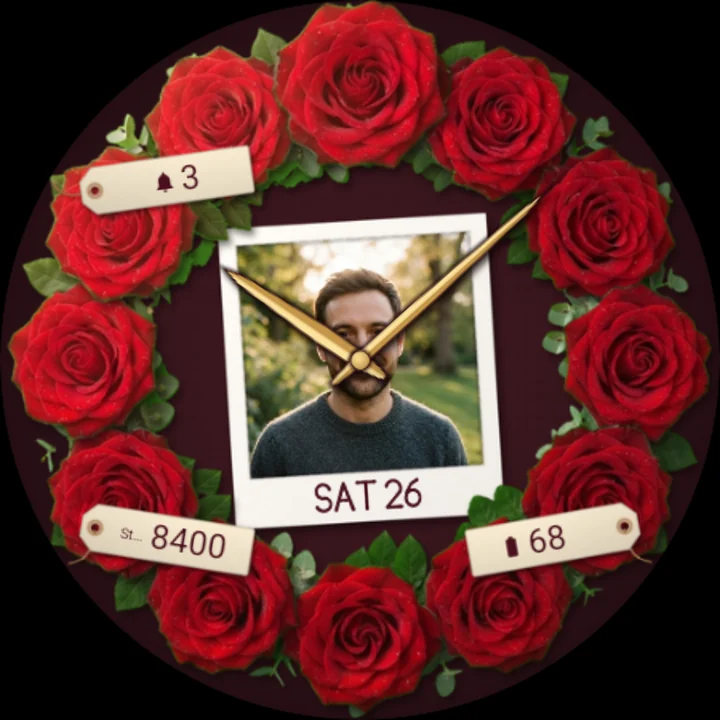
Man roses red 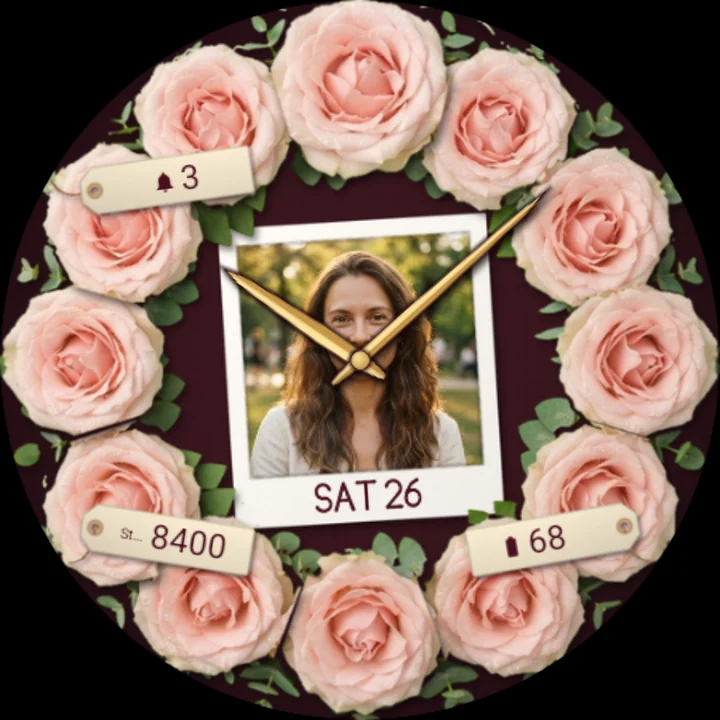
Roses blush 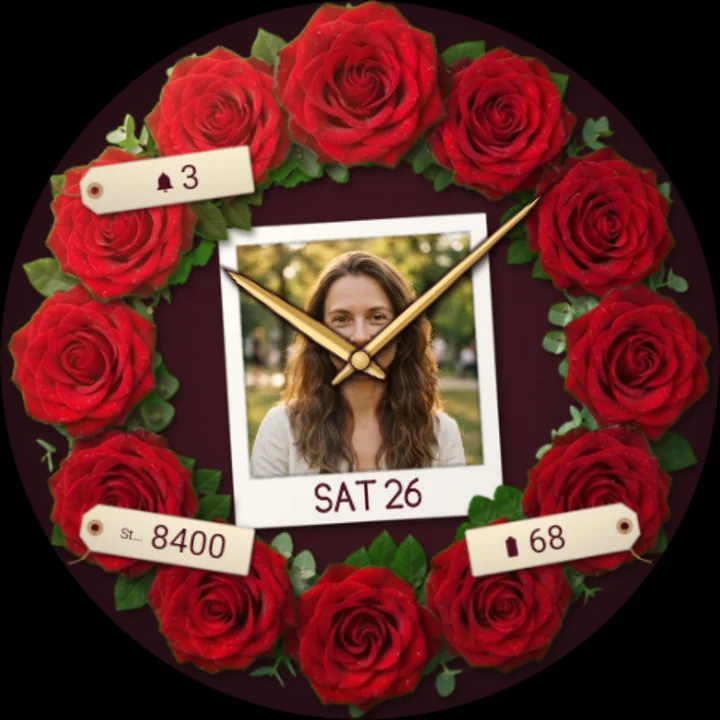
Roses red
A round florist's wreath of twelve roses lies on deep wine linen, and in its middle is your own photo, printed like a polaroid: the one you love, a favourite moment, a day you shared. The roses mark the hours, and gold hands turn over your picture, so every glance at your wrist brings it back.
Your photo, as a polaroid
- Pick one or several of your own photos in the watch face's settings on your phone. With several, tap the watch face to see the next.
- Your photo sits in a white print with a thicker bottom edge, lying a little askew, its corners tucked under the roses.
- Until you choose one, a still life of loose rose petals keeps the print warm.
Twelve roses for twelve hours
- One rose on each hour, the rose at 12 a little larger, with leaves and eucalyptus filling the wreath.
- Red roses or soft blush roses.
- Elegant gold hands with a dark edge, so they read over any photo and over the roses.
Little moments
- Every hour a soft, warm glow swells over the wreath and rose petals drift down across the face.
- Nothing moves in between, to spare your battery.
Written by hand
The date is written by hand on the print's bottom edge; your steps, unread notifications and battery are written on little paper gift tags tucked into the wreath, each with its icon. Put another app's complication on a tag and it shows that app's icon, or its title where it sends no icon.
Always-on
In always-on mode the face turns dark: the print's outline, twelve faint points for the roses, the hands and the date, dim on black. Your photo is not shown asleep.
Make it yours
- Photos: one or several of your own, chosen on your phone.
- Roses: red or blush.
- Three complications on the tags: steps, unread notifications and battery by default. Choose other data for any of them in the watch face editor.
To customize, touch and hold the watch face, then tap Customize; photos are chosen in the watch face's settings in your phone's watch app.
Works on watches with Wear OS 6 or later. Made in Watch Face Format: nothing to install on your phone, no permissions, and your photos stay between your phone and your watch.
Part of Tempus Arcanum, a collection of watch faces.
Similar watch faces
 Rose Dew DropsA rose in full bloom with dew drops for hours, the hands turning from its heart
 Peony FlowerWatercolour peony flowers in a floral wreath that blooms as you walk, serif time
 Pink FlamingoA jewelled pink flamingo and gold palms on a turquoise mother-of-pearl lagoon
 Lily of the ValleyA gold lily of the valley with pearl bells on deep emerald guilloché enamel
 Photo PocketA Victorian gold pocket watch with your own photo in the dial, like a keepsake
 Love Lock HeartA heart-shaped padlock on a bridge at dusk - its heart is your watch dial