Love & romance
Rose Topiary Digits
The time grown in roses: 3D rose-covered digits on a marble table by candlelight
 In the Tempus Arcanum app on Google Play
Looks
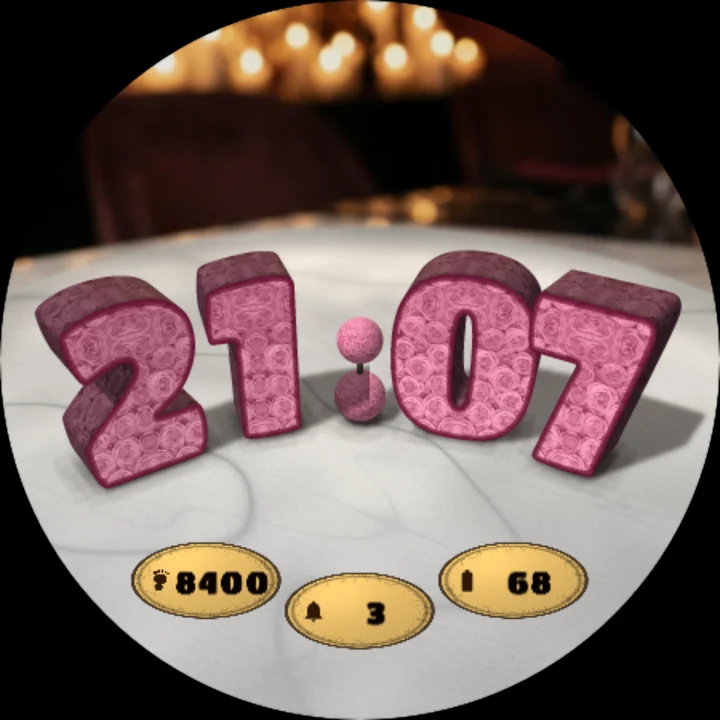
Roses red 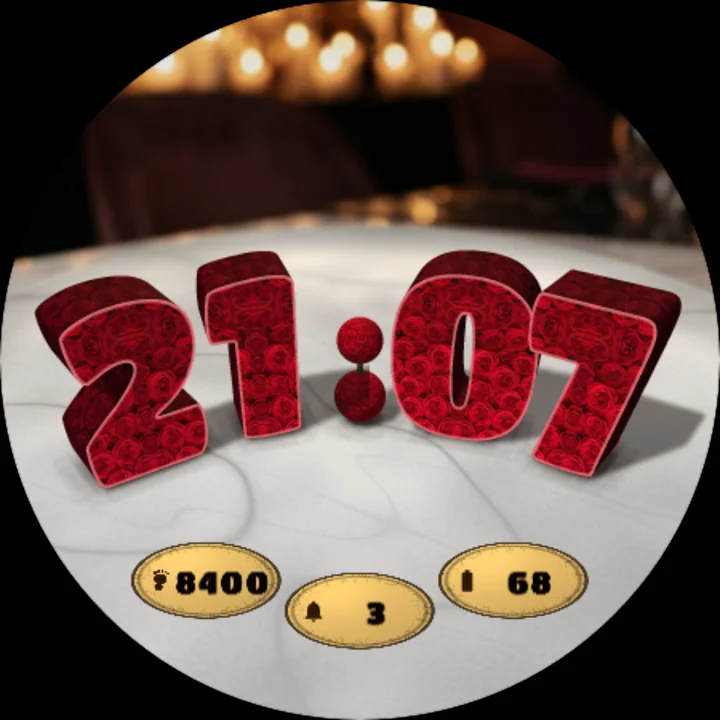
Roses pink 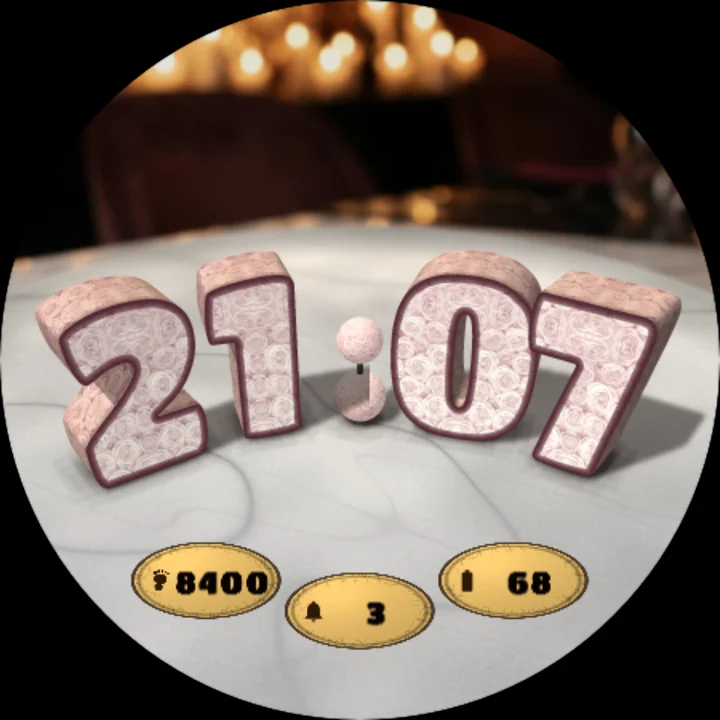
Roses white
Four solid digits covered all over in fresh roses, like garden topiary, stand on a polished white marble table by candlelight, a room full of warm candle flames glowing softly behind them. They stand in a gentle curve like a garden border, two small rose balls between the hours and the minutes for the colon.
Digits you can almost touch
- Every digit is a real solid in perspective: you see its rose-covered front, its side walls and its top, and its shadow falls on the marble.
- The outer digits stand nearer and turn toward you, the middle ones a little farther back, so the time reads as one line at a glance.
- A thin crisp line round each front keeps every digit clear, even at a glance on the wrist.
Red, pink or white roses
Choose the roses: deep red, soft pink, or creamy white with pale pink shadows. The falling petals follow your choice.
Little moments
- On every new minute a shower of rose petals falls over the digit that changes, and the new one shows from under them.
- Tap the watch face and a gust carries a stream of petals across the screen. The same gust blows by every hour.
- Nothing moves in between, to spare your battery.
Gold leaf in the marble
Your steps, unread notifications and battery are inlaid in the marble as three ovals of gold leaf in front of the digits, each with its small icon. Put another app's complication in any of them and it shows that app's value and icon; set one to Empty and the marble stays bare.
12 or 24 hours
The time follows your watch's 12/24-hour setting; in 12-hour time an hour below 10 is one digit, standing between the two hour places.
Always-on
In always-on mode the face turns black: the four digits as dim rose-red outlines.
Make it yours
- Roses: red, pink or white.
- Three complications inlaid in gold: steps, unread notifications and battery by default. Choose other data for any of them in the watch face editor.
To customize, touch and hold the watch face, then tap Customize.
Works on watches with Wear OS 6 or later. Made in Watch Face Format: nothing to install on your phone, no permissions, no data collected.
Part of Tempus Arcanum, a collection of watch faces.
Similar watch faces
 Diamond Ring BoxAn open velvet ring box with a diamond ring - the time stamped in gold foil
 Ruby HeartA faceted ruby heart that turns on a mother-of-pearl dial with diamond marks
 Photo PocketA Victorian gold pocket watch with your own photo in the dial, like a keepsake
 Rose Wreath PhotoYour own photo as a polaroid in a wreath of twelve roses, one for every hour
 Love Lock HeartA heart-shaped padlock on a bridge at dusk - its heart is your watch dial
 Heart Locket PhotoYour own photo in an open gold heart locket, with the hands turning over it