Love & romance
Wax Seal Photo
Your own photo set in a red wax seal on a love letter, the hours in hearts
 In the Tempus Arcanum app on Google Play
Looks
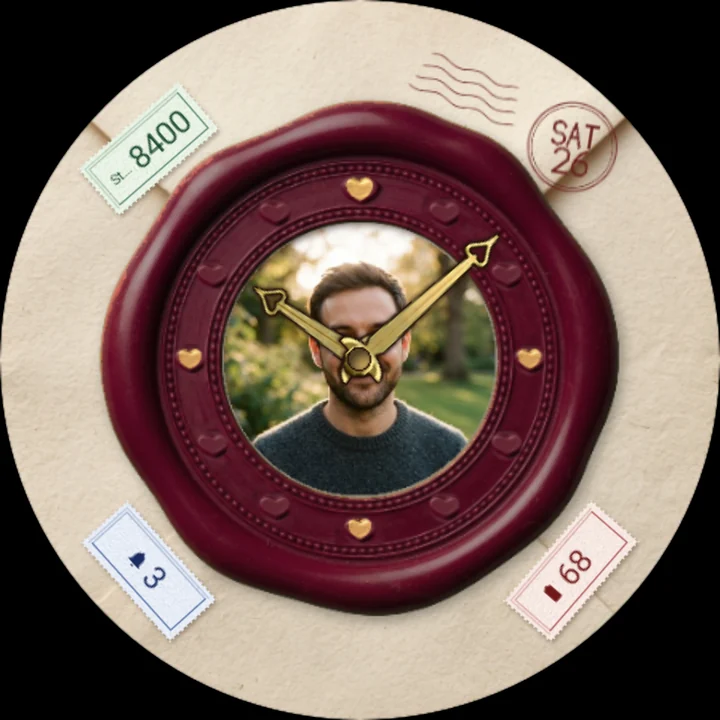
Wax crimson 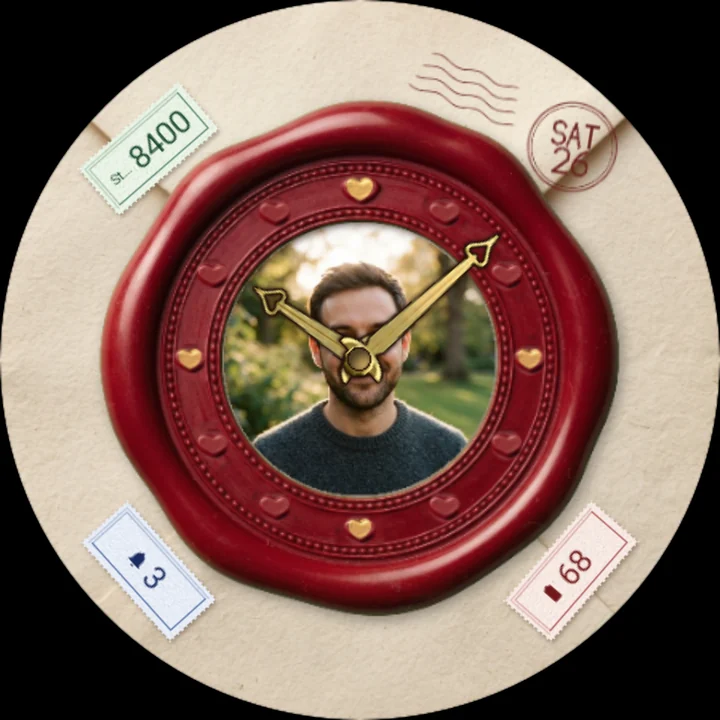
Wax burgundy 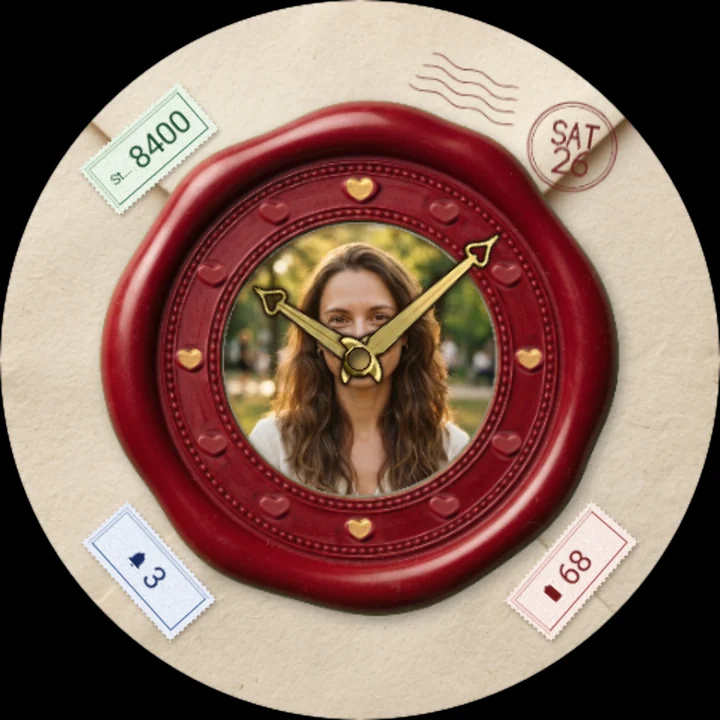
Woman wax crimson
The back of an old love letter, sealed with a large red wax seal - and in the middle of the seal, like a cameo pressed in wax, is your own photo: the one you love, a favourite moment, a place you shared. The hands of your clock turn over it, and every glance at your wrist brings it back.
Your photo, sealed with love
- Pick one or several of your photos for the seal in the watch face's settings on your phone. With several, tap the watch face to see the next.
- Until you choose one, a heart pressed into cream paper waits in the seal.
A classic analog face
- Twelve little hearts pressed into the wax round the seal's rim mark the hours; the hearts at 12, 3, 6 and 9 are rubbed with gold leaf, the one at 12 a little larger.
- Gold hands, each with an open heart near its tip, edged in dark so they read over any photo.
A moment every hour
As each hour begins, warm candlelight passes over the wax, the seal cracks round its rim and the letter slides out of the envelope for a moment, its handwriting showing - then it slips back and the seal closes again.
Postmark and postage stamps
The date is stamped on the envelope in a dark-red postmark, and your steps, unread notifications and battery are printed on three little vintage postage stamps with perforated edges, laid round the seal. Put another app's complication on a stamp and it shows that app's icon, or its title where it sends no icon; set one to Empty and its stamp is simply not there.
Easy on the battery
Nothing moves between the hours but the hands. In always-on mode the face turns dark: a faint outline of the seal and its hearts, the hands and the date. Your photo is not shown asleep.
Make it yours
- Photos: one or several of your own, chosen on your phone.
- Wax: crimson or burgundy.
- Three complications on the stamps: steps, unread notifications and battery by default. Choose other data for any of them, or none, in the watch face editor.
To customize, touch and hold the watch face, then tap Customize; photos are chosen in the watch face's settings in your phone's watch app.
Works on watches with Wear OS 6 or later. Made in Watch Face Format: no permissions, and your photos stay between your phone and your watch.
Part of Tempus Arcanum, a collection of watch faces.
Similar watch faces
 Photo PocketA Victorian gold pocket watch with your own photo in the dial, like a keepsake
 Rose Wreath PhotoYour own photo as a polaroid in a wreath of twelve roses, one for every hour
 Love Lock HeartA heart-shaped padlock on a bridge at dusk - its heart is your watch dial
 Heart Locket PhotoYour own photo in an open gold heart locket, with the hands turning over it
 Rose Dew DropsA rose in full bloom with dew drops for hours, the hands turning from its heart
 Rose Topiary DigitsThe time grown in roses: 3D rose-covered digits on a marble table by candlelight